
Works tracks filament roll by roll, so you always know how much you have and where it is.
A filament and its spools
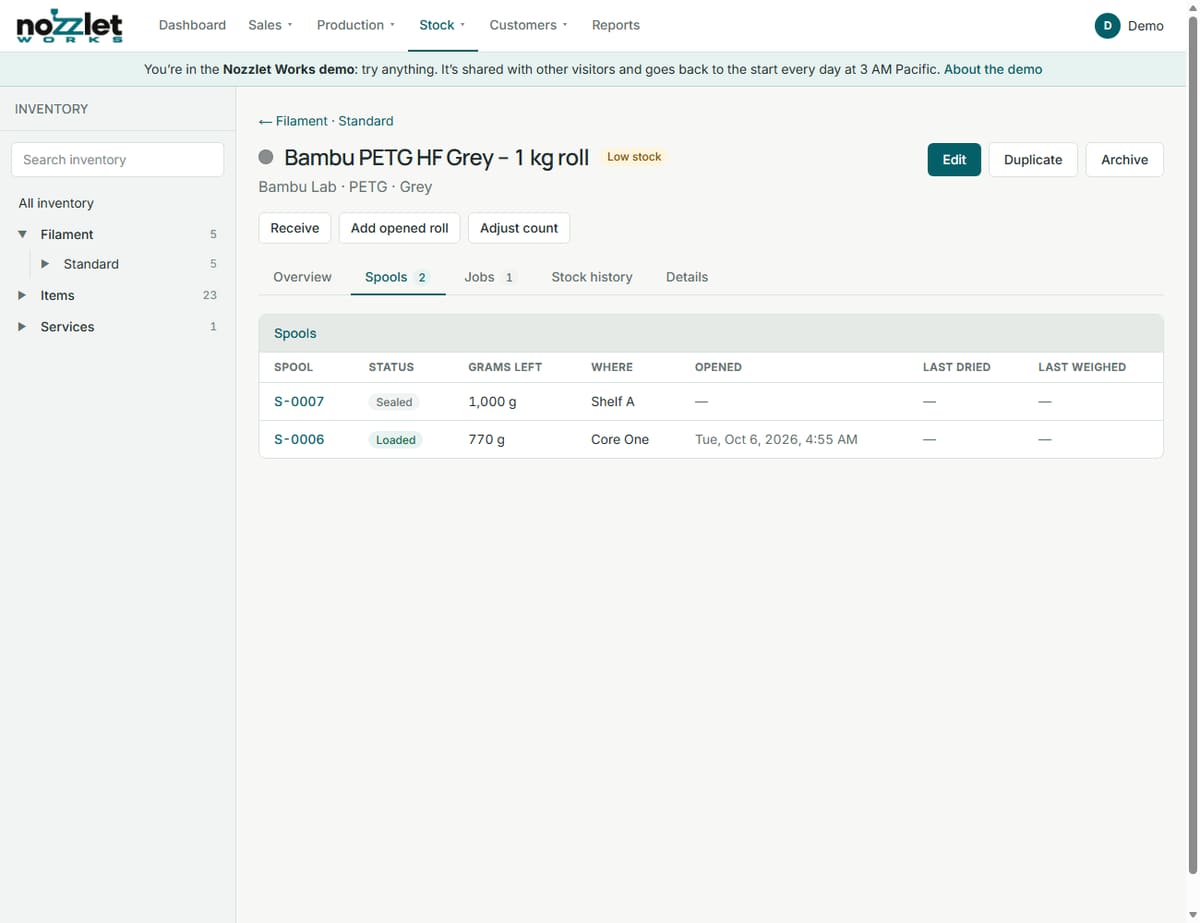
A filament (for example Bambu PETG HF Grey – 1 kg roll) is an inventory item of type Filament. Its page shows sealed rolls, grams open, the total, and its reorder level, then Upcoming use: what scheduled jobs need, what's in stock, and what will be left after them.
Each roll you have is a spool, numbered S-0001, S-0002 and so on. The Spools tab lists them with their status, grams left, where they are, and when they were opened, last dried and last weighed.
A spool's life
A spool is Sealed, Open, Loaded or Empty. Open a spool's page for what you can do next:
- a sealed roll: Open, Load into printer, Move, Record drying;
- a loaded one: Unload, Weigh, Set grams, Record drying, Mark empty.
Weigh turns a scale reading into grams left (it subtracts the empty spool weight you gave the filament). Each step is kept in the spool's History, with Undo load if you loaded the wrong one.
Loading spools
You can load a spool from its page, from the printer's page (Load and unload), or from the job's start checklist. Each printer has its slots (for example AMS slots 1 to 4), and a spool goes in one.
Using filament
When you finish a job, Works takes the grams used automatically: from the loaded spool first, then open spools, then new rolls. Every spool's history shows which job used how much.
Short of filament?
Works adds up what upcoming jobs need. If a filament will run short, the job is flagged short by … g, and the Dashboard warns you: Act now if it's within 48 hours, Check soon if it's later.
Storage locations
Optionally, name where you keep things (shelves, dry boxes, dryers) in Settings › Storage locations, and Works shows where each spool is.
Boxes of rolls
For a box of rolls (e.g. a 4 kg box), set Kept as to Boxes, broken down into rolls, and on its Packaging card say what it Breaks down into. Break down the box when you open it, and its rolls become spools. See Inventory and packs.