
The Dashboard is the first thing you see in Works. Think of it as a check engine light: it says All good, or lists what needs your attention.
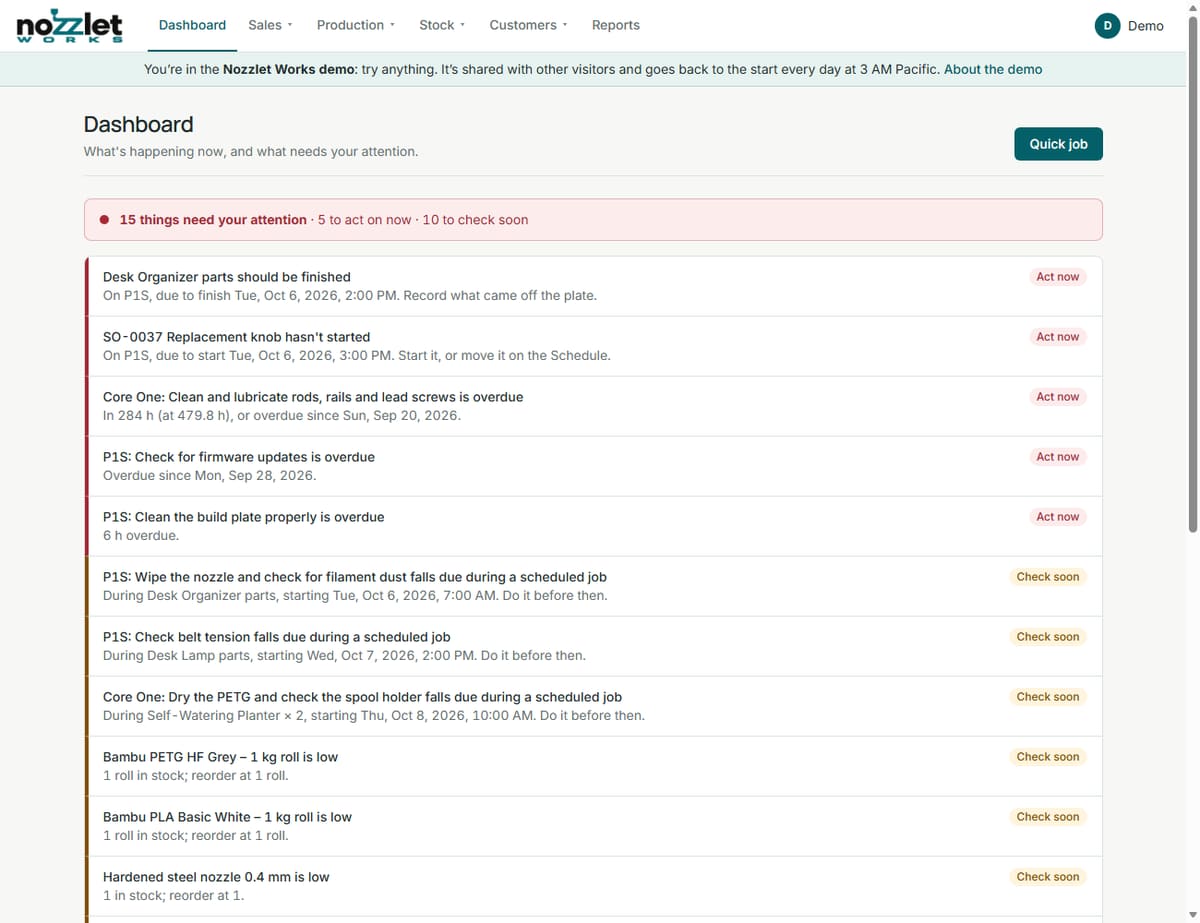
What needs attention
Each item says what's wrong and what to do about it.
Act now:
- a print past its finish time ("should be finished: record what came off the plate"),
- a job that should have started ("start it, or move it on the Schedule"),
- filament that will run short within 48 hours,
- maintenance that's overdue.
Check soon:
- filament that will run short later,
- a job that starts while you're asleep,
- stock at or below its reorder level,
- a late purchase order,
- a printer near the end of its service life,
- maintenance due soon, or due during an upcoming job.
What's happening
- Printing now: each job on the printer, and its time left.
- Next on each printer.
- Coming up in the next 48 hours.
- On order: what you're waiting for from suppliers.
Quick job at the top starts a counter sale (see Quick job).