
Works costs every print from your own numbers: your rates in Settings, each printer's costs, and what you pay for filament and supplies. Change any of them and every cost that uses it updates.
A plate's cost
Open a plate and go to its Cost tab to see the full breakdown.
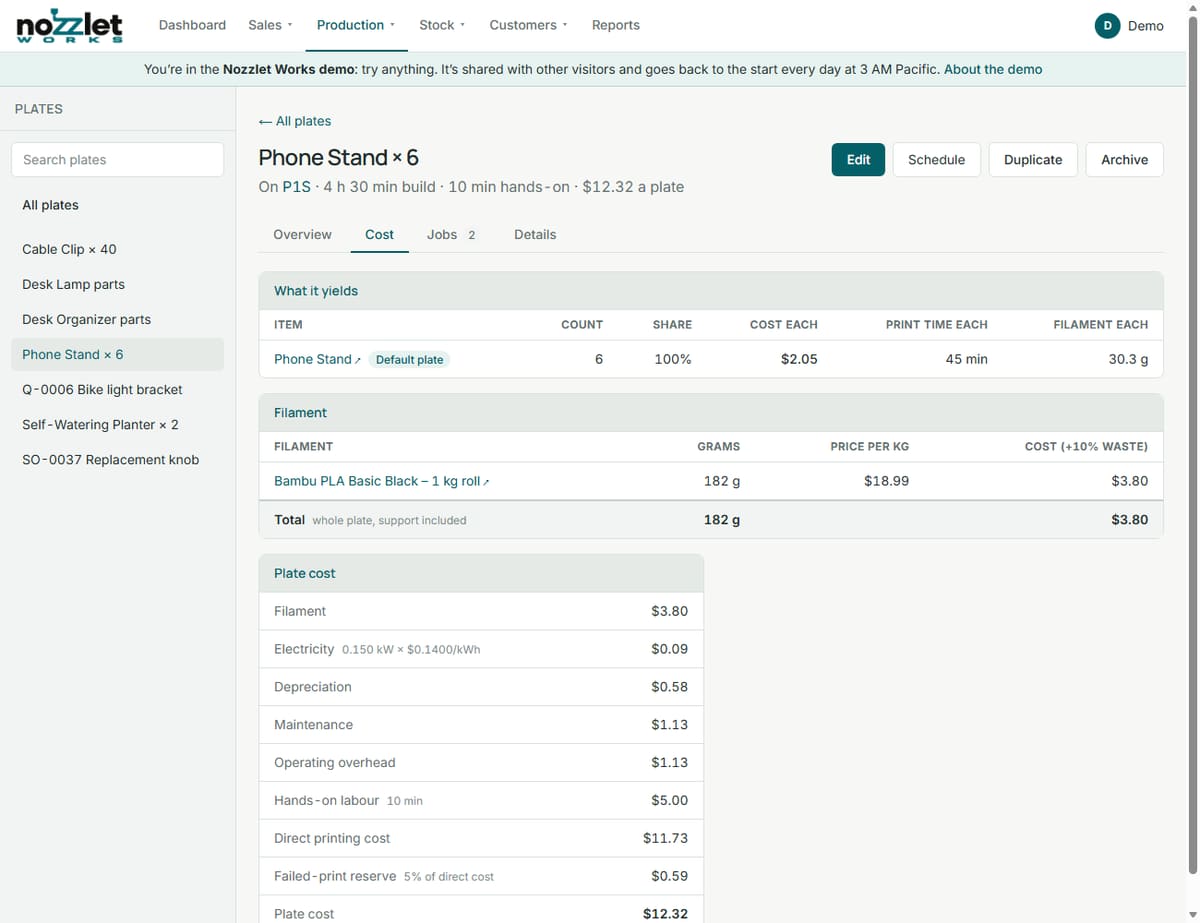
| Line | Where it comes from |
|---|---|
| Filament | The grams for the whole plate × the filament's cost per kilogram, plus your Material waste allowance (e.g. +10%). |
| Electricity | The printer's average power (kW) × the build time × your Electricity rate. |
| Depreciation | The printer's purchase cost, less its residual value, spread over its service life, for the build time. |
| Maintenance | The printer's maintenance cost per hour, for the build time. |
| Operating overhead | Your Operating overhead rate (rent, software and other running costs) per print hour. |
| Hands-on labour | The plate's hands-on time × your Hands-on labour rate. |
| Failed-print reserve | Your Failed-print allowance as a percentage of the lines above (the direct printing cost), to cover prints that fail. |
Add them up and you have the plate cost: what one print of the plate really costs you.
Sharing it between the items on the plate
What it yields at the top of the Cost tab shows each item the plate makes, how many, its share of the plate, and its cost each, print time each and filament each.
- When a plate makes one kind of item (e.g. 6 phone stands), each gets an equal share.
- On a mixed plate (different parts on one plate, like a tray and its lid), the cost is split by finished weight, or by shares you type in yourself.
Made, Bought and Assembled items
Every item says how you get it:
- Made (you print it): its cost is its share of its default plate. If an item can be printed on more than one plate, Works shows the cost per piece on each, so you can pick the cheapest as the default.
- Bought: its cost is its price, or the pack's price ÷ how many are in the pack. If you buy through purchase orders, Works can use the landed cost: the price plus its share of shipping, fees and any taxes you don't get back.
- Assembled (you put it together): its cost is its parts and services. Its Cost tab lists each part (printed or bought) and each service by the minute, such as assembly time at your service's hourly cost.
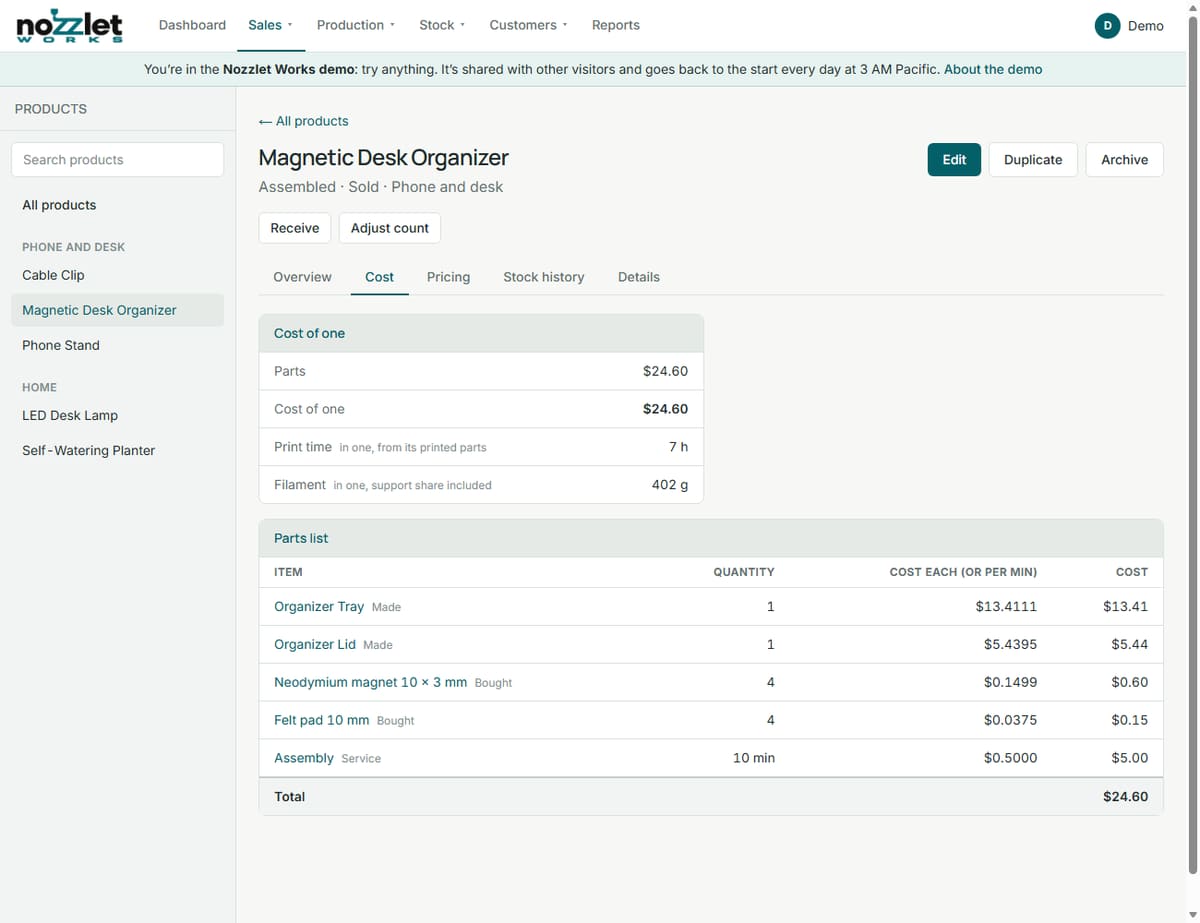
Any item can also have a custom adjustment added to its cost.
Changing the numbers
- Your rates: Settings › Edit settings (see Getting started).
- A printer's costs: on the printer's page, Details (see Printers).
- Filament and supply prices: on the item, or by receiving a purchase order.
Then see Setting prices and margins to turn costs into prices.