
Purchase orders record what you buy, so the shipping, fees and taxes on each bill end up in what your items really cost.
Suppliers
Stock › Suppliers lists where you buy: name, website, contact, email, phone, your account number, usual shipping and notes. A supplier's page shows Items bought here, with their prices and stock, and New purchase order. Archiving a supplier hides it from the pickers; its items keep it.
Your purchase orders
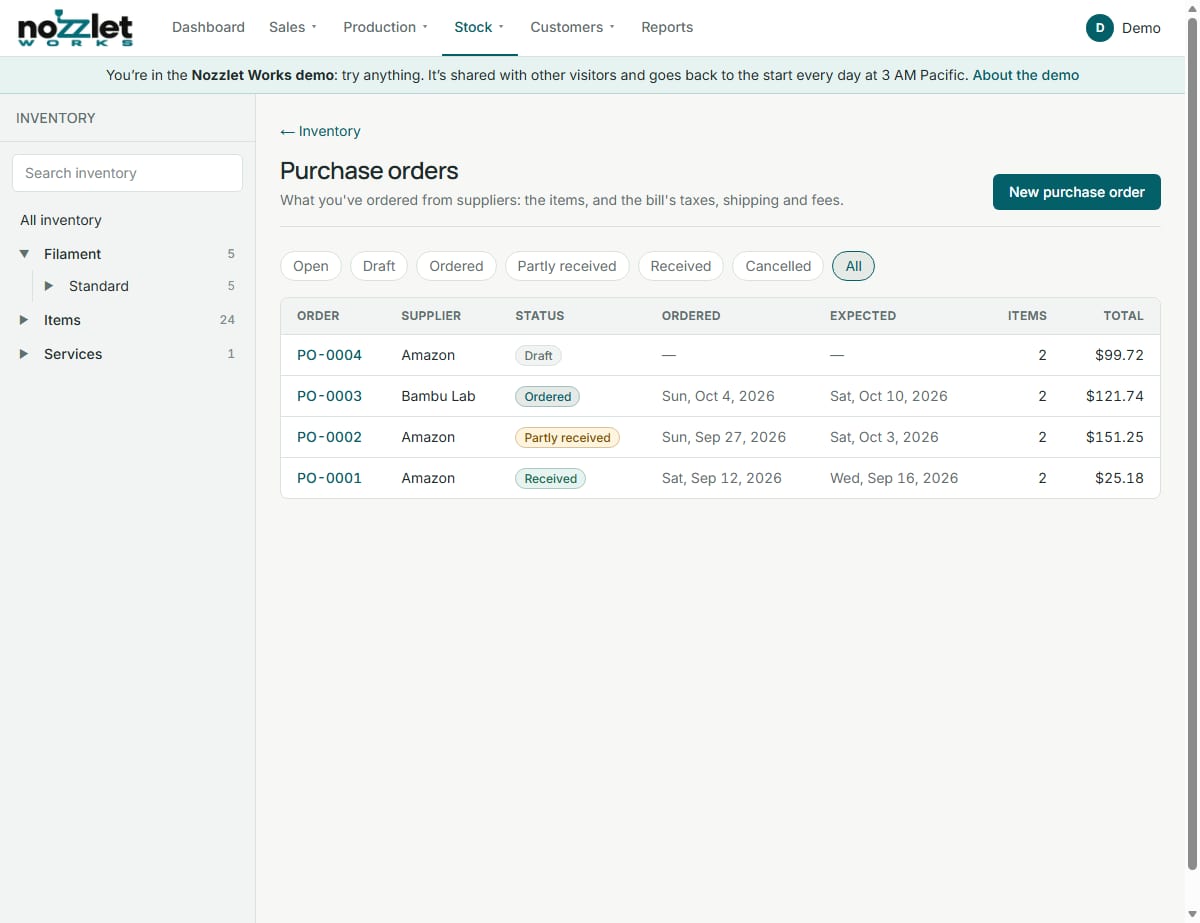
Stock › Purchase orders lists them, newest first, with the supplier, status, order and expected dates, how many items and the total. It opens on Open: drafts, and orders you're still waiting for (ordered or partly received); All shows every one, or pick a single status.
A purchase order
Stock › Purchase orders › New purchase order. Nothing is required to save a draft.
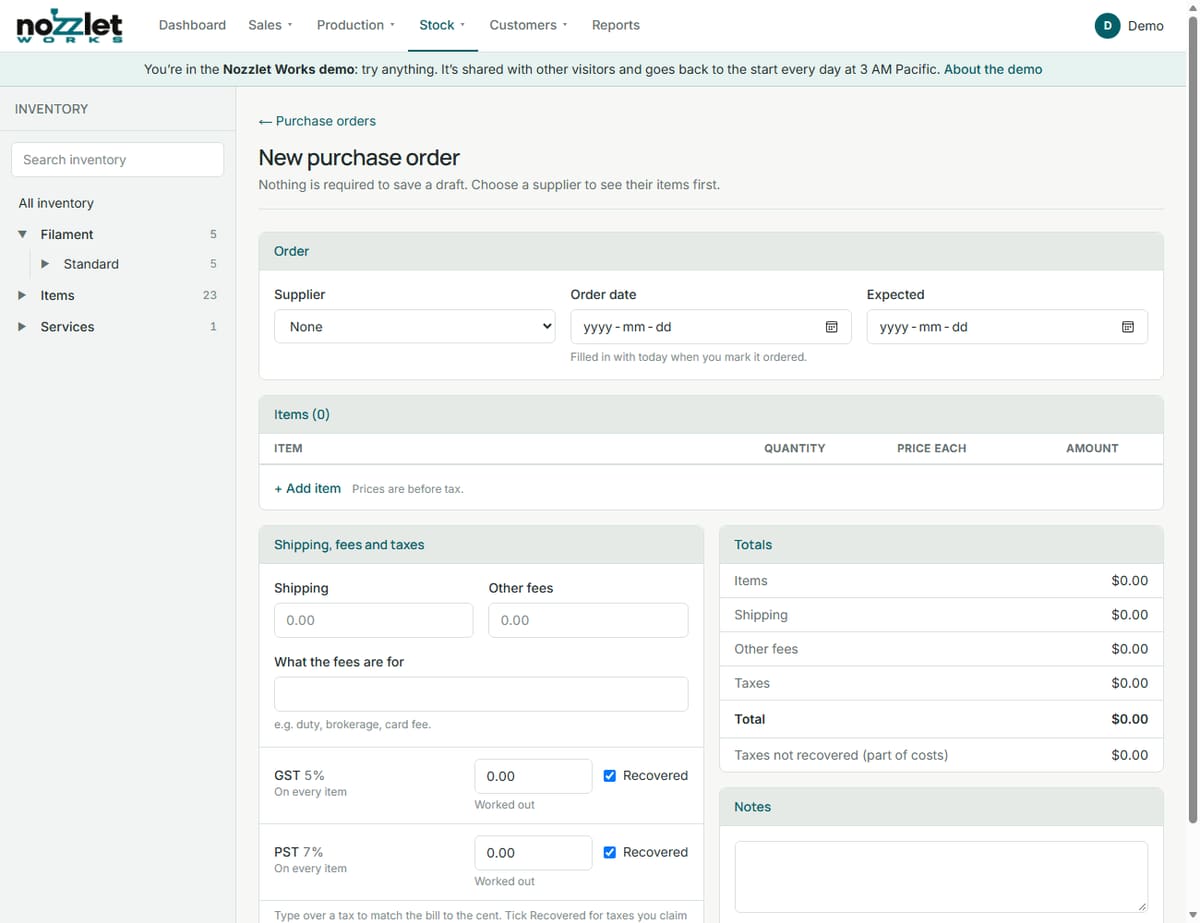
- Order: the Supplier (their items are shown first), the order date and when you Expect it.
- Items: each item, its quantity and price each, before tax. + Add item for more.
- Shipping, fees and taxes: Shipping, Other fees (and what they're for, such as duty or brokerage), and each of your taxes, worked out from the items. Type over a tax to match the bill to the cent. Tick Recovered for taxes you claim back (usually GST); the rest becomes part of what the items cost.
- Totals, including Taxes not recovered (part of costs).
Save as draft, or Save and mark ordered. Purchase orders are numbered PO-0001 and go Draft → Ordered → Partly received → Received (or Cancelled). What's on order shows on each item and on the Dashboard, and a late order is flagged.
Receiving it
When the parcel arrives, open the purchase order and Receive:
- For each line, what Arrived now. Receive all fills in everything ordered; + and − adjust a line, and each line can take a note.
- Record anything Wrong or damaged: it isn't added to stock, and stays on order.
- Add the date it Arrived on, a Delivery note (such as a packing slip number), and for filament, where to Store new rolls.
- Each line shows its landed cost each: the price plus its share of shipping, fees and the taxes you don't get back. Tick Set purchase price to make it the item's price from now on.
A delivery that doesn't complete the order leaves it Partly received, with the rest as a backorder. If the rest isn't coming, Close short. Received something by mistake? Undo receive takes that delivery back out of stock.