
Stock › Inventory holds everything your shop uses and sells: filament, the supplies you buy (fasteners, magnets, packaging, printer parts), the parts you print, your finished products, and services such as assembly.
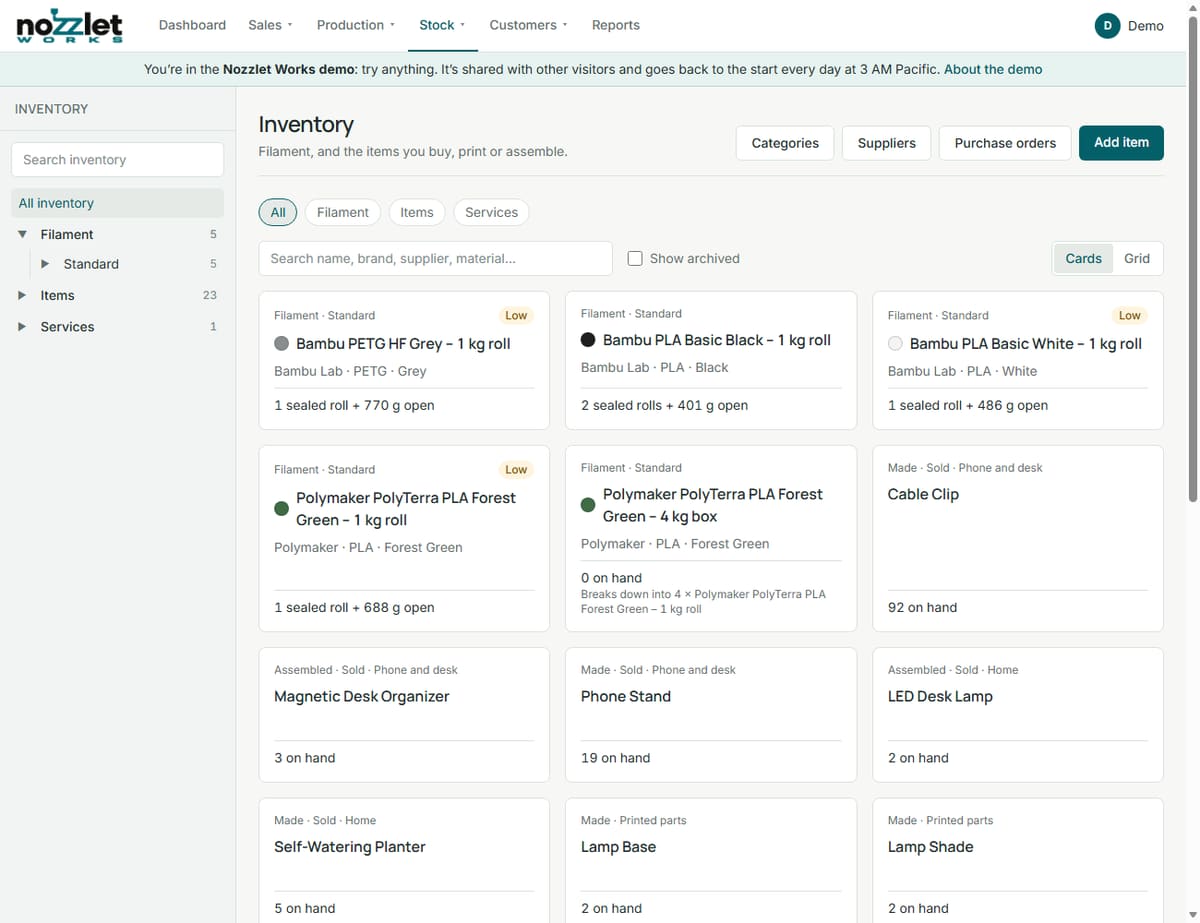
Finding things
- All, Filament, Items or Services, and your categories at the side. Categories lets you organise them.
- Cards or Grid view, and a search box (it searches suppliers too).
- Show archived brings back items you've archived.
Items below their reorder level are marked Low.
Adding an item
Click Add item, give it a Name and choose its Type:
- Filament: see Filament and spools.
- Items: choose How you get it: Bought (you buy it), Made (you print it) or Assembled (you put it together from other items and services). Tick Sold if it's a product you sell. See How Works costs a print.
- Services: assembly, sanding, design and so on, with a cost per hour and a charge per hour. Assembled items use them by the minute.
For bought items, add the Purchase price, a Supplier, a Reorder level and a part number if you like.
Changing an item
An item's Details tab has a card for each part of it: Basics, Selling, Buying and stock, Packaging and so on. To change something, click its row (or the card's Edit). The card turns into boxes in the same rows, in the same order, with the one you clicked ready to type in. Values Works works out, such as the Cost per item, update as you type. Save keeps the change; Cancel leaves it as it was.
The Add item page uses the same cards and rows, so an item looks the same when you add it, view it and change it.
Packs and boxes
Many supplies come in packs: magnets in a pack of 100, filament in a 4 kg box of four rolls, inserts in a case of ten packs. Each packaging level is its own item, and each one breaks down into the next:
- Neodymium magnet – 100 pack breaks down into 100 × Neodymium magnet.
- PLA – 4 kg box breaks down into 4 × PLA – 1 kg roll.
You set the price on the level you buy, and the cost flows down: a $14.99 pack of 100 makes each magnet about $0.15.
You can set this up from either end, when you add an item or later from its Packaging card:
- start with the box, and choose what's inside (an item you already have, or a new one made on the spot), or
- start with the item, and say it comes in a pack (a new one, or one already in Inventory).
Works refuses mix-ups, such as a pack that already holds something else, or a loop. A pack can be unlinked again.
Stock actions
On an item's page:
- Receive: stock arrived (for filament, each roll becomes a spool).
- Break down: open a pack or box into what's inside it.
- Adjust count: correct the number on hand, with a reason.
- Add opened roll (filament): a roll that's already been used.
Every change is listed on the item's Stock history tab. Finishing jobs, selling products and using parts in maintenance update stock on their own.
Reorder levels
Give an item a Reorder level and Works warns you when stock falls to it, on the inventory and on the Dashboard.
Taxes on many items
Bulk tax changes set the taxes on many items at once. See Taxes.