
Reports opens on Sales and tax. Sales reports cover a period: Last 30 days, This month or Last month, This quarter or Last quarter (for GST/HST filing), This year or Last year, or your own dates (From, To, then Show these dates).
A sale is an order (not a quote, not cancelled), counted on the day it became a sale.
Sales and tax
For your tax returns and your accountant.
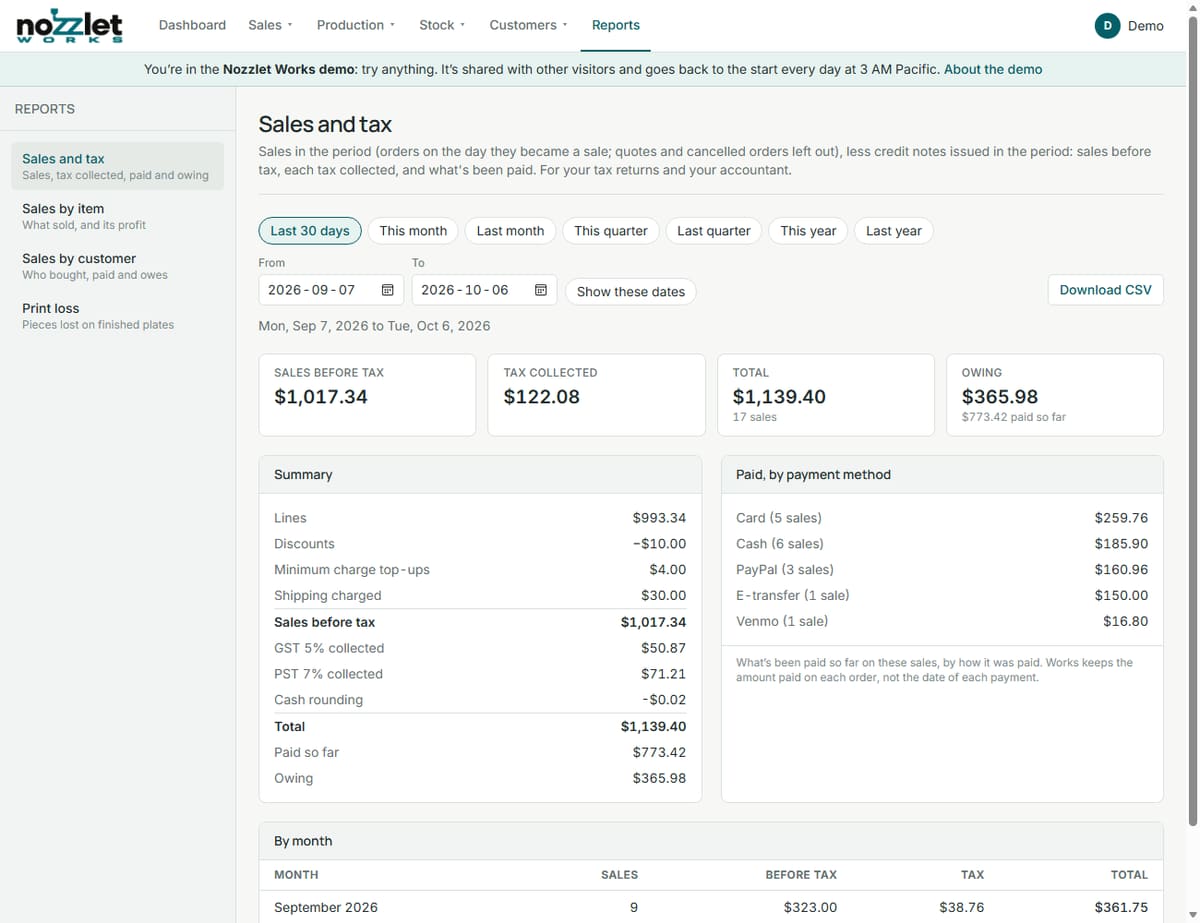
- Sales before tax: lines, less discounts, plus minimum charge top-ups and shipping.
- Each tax collected (GST 5%, PST 7%…), cash rounding, and the total.
- Paid so far and owing.
- Paid, by payment method (cash, card, e-transfer, PayPal…).
- By month.
Tax follows what each order charged. Check with your accountant before filing.
Sales by item
Each product's quantity, orders, sales, cost, profit and margin, best seller first; then custom lines by kind (one-off prints, services, rush fees, other). Amounts are before the order's discount and tax.
Sales by customer
Each customer's orders, sales before tax, total, paid, owing and last order. Walk-ins are grouped together.
Print loss
For a period (last 30 or 90 days, this year, or all time) and a printer: for each printed item, how many were expected, came out good and were lost, the loss %, and what the lost pieces cost.
Credit notes
Credit notes come off sales, tax, items (returned quantities) and customers in the period they're issued.
Downloading
Download CSV gives your accountant one row per sale, with a column per tax, the invoice and receipt numbers, and a totals row; credit notes are negative rows. CSV downloads of the sales reports are on the Maker plan and up; on Free, the reports show without the download.
Works keeps how much has been paid on each order, not the date of each payment, so "paid" means paid so far on those sales (less refunds).