
Works produces proper paperwork for every sale, from the order, so you don't need a separate invoicing tool. Invoices, receipts and credit notes are on the Maker, Shop and Farm plans.
Issuing one
On an order, Issue invoice (any time, for example when money is owed) or Issue receipt (when it's paid in full). Quick job offers them straight after the sale. They're numbered in sequence with your own prefix and starting number (e.g. ND-1001), set in Settings › Invoices and receipts.
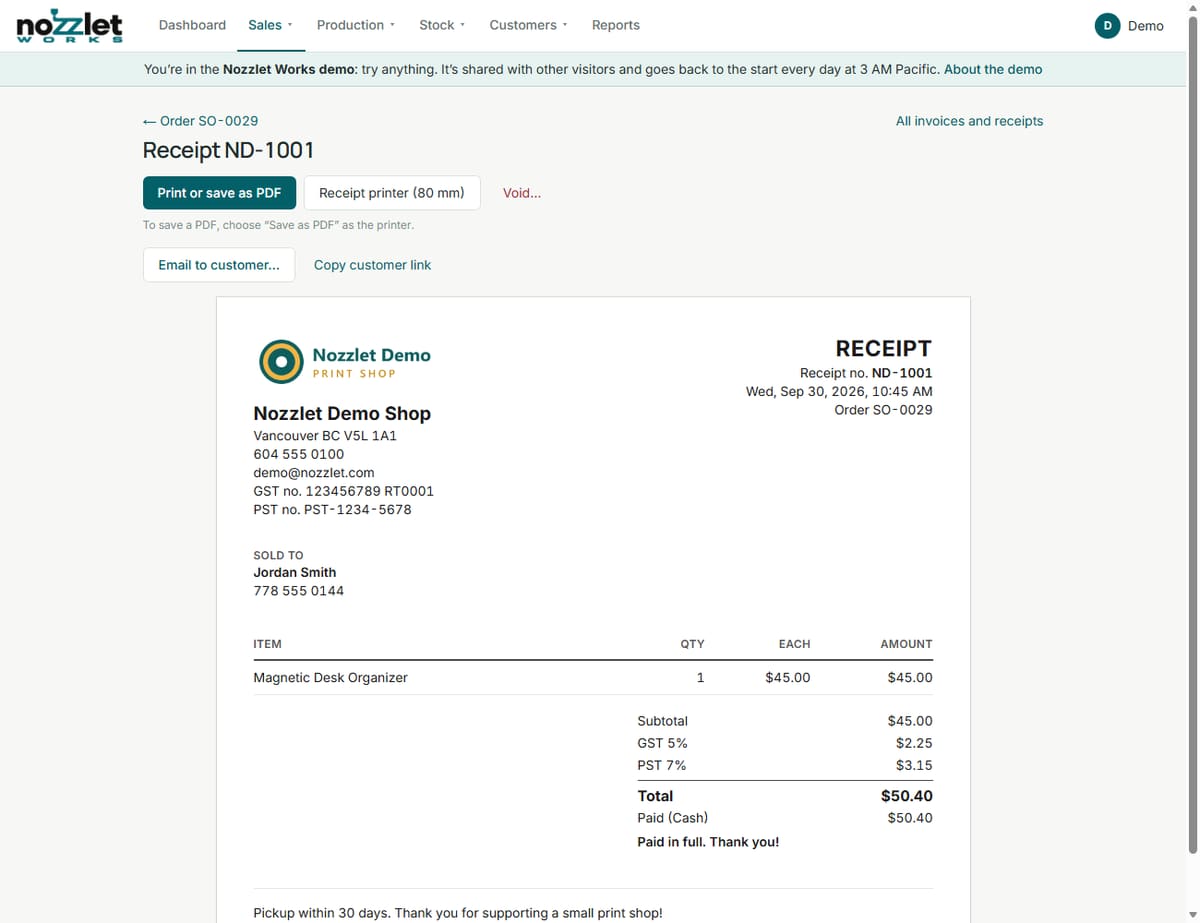
Each one shows your logo, your shop's name, address, phone and email, each tax's registration number, the number and date, the order and due date, the customer (or Walk-in), the lines, subtotal, discount, minimum charge, shipping, each tax and cash rounding, then the total, what's been paid and how, and the balance owing (or "Paid in full"), with your note and your terms (e.g. "Pickup within 30 days").
Printing and emailing
- Print or save as PDF from your browser: full page (Letter or A4), or Receipt printer (80 mm). Only the document prints. To save a PDF, choose "Save as PDF" as the printer.
- Email to customer: to their email (or any address). They get a short email from "Your Shop via Nozzlet" with the total, any balance owing, and a private link to view and print it, without signing in. Their replies come to you. The document shows when, and to whom, it was last emailed.
- Copy customer link to send it yourself, by text or chat.
They can't be changed
To keep your tax records in order, an issued document can't be edited or deleted. To fix one, Void it (with a reason; it stays on record, stamped VOID) and issue a new one. Works tells you when an order has changed since its document was issued.
Works also warns you when a document charges a tax with no registration number in Settings. Only charge taxes you're registered for.
Credit notes: refunds and corrections
On an order with an invoice or receipt, Issue credit note:
- Choose how many of each line to credit (up to what's left), and/or another amount, such as shipping or a goodwill credit. It takes the same share of the order's discount and the same taxes the order charged, worked out as you type.
- Say why.
- Record a refund and how it went back (the order's payment method to start), or none: the credit then comes off what they owe.
- Tick returned products to put them back in stock.
Credit notes are numbered with your invoices and receipts, frozen once issued, and printed and emailed the same way. Void one to undo it: the credit and refund come off the order, and returned products come back out of stock. The order shows what's been credited and refunded, and what's owed (or owed back).
All in one place
Sales › Invoices and receipts lists every one you've issued, newest first. On the Free plan, ones issued before stay viewable and printable.
Not yet: tax by the destination province for shipped orders.